













Pokie Spins Casino Mobile — Official iOS and Android App
Gaming on the Go with Pokie Spins Casino Mobile
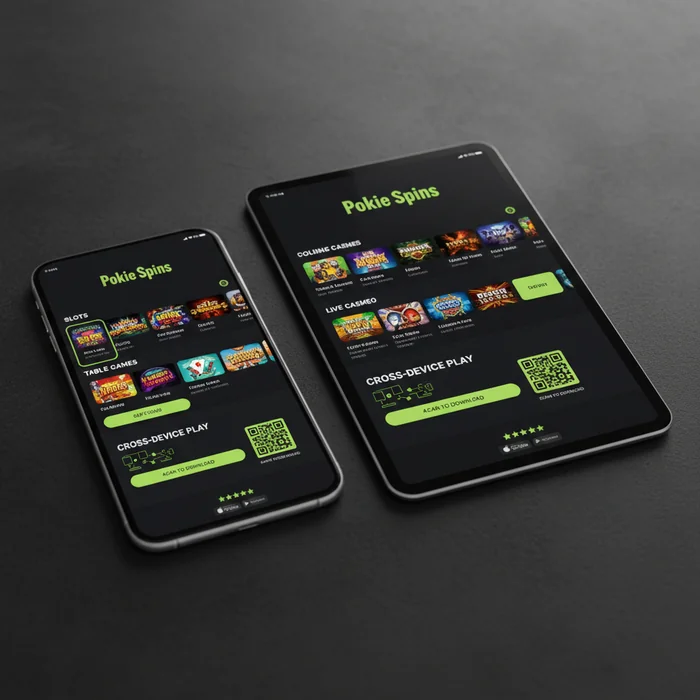
The Pokie Spins Casino app was built around a straightforward principle: every feature available on a desktop screen should translate seamlessly to a handheld device — without compromise in speed, visual quality, or account functionality. We designed the mobile experience from the ground up rather than adapting a desktop layout as an afterthought, and that architectural decision shapes everything from menu depth to game load times.
Players accessing the platform through iOS or Android can complete the full account lifecycle — registration, verification, deposit, gameplay, and withdrawal — without ever switching to a desktop browser. The navigation structure collapses cleanly into a thumb-friendly format, account settings retain the same depth as their desktop counterparts, and the game library surfaces the same catalogue with mobile-optimised rendering. Whether you are commuting, at home on the couch, or anywhere with a reliable connection, the experience remains consistent and professional.
Pokie Spins Casino Device Compatibility and System Requirements
| Platform | Minimum Version | Download | App Size |
|---|---|---|---|
| iOS (iPhone / iPad) | iOS 13.0 or later | Available via App Store | Approximately 78 MB |
| Android | Android 8.0 (Oreo) or later | APK direct download | Approximately 64 MB |
| Windows (Desktop) | Windows 10 or later | Browser-based, no install required | N/A |
| Mobile Browser | Any modern browser (Chrome, Safari, Firefox) | No download required | N/A |
| Tablet (iOS / Android) | iPadOS 13.0 / Android 8.0 | Same as phone variant | Approximately 78–80 MB |
We keep system requirements deliberately accessible. Devices released from 2018 onward typically meet the minimum specifications without adjustment. If you are uncertain whether your hardware qualifies, the mobile browser route — which requires zero installation — provides an immediate way to verify the experience before committing to a download.
Pokie Spins Casino App Features in Detail
Games on Mobile
The platform integrates content from over 40 software providers, and the vast majority of that catalogue is available in full through the Pokie Spins Casino mobile app. Titles are categorised by type — pokies, table games, live dealer, jackpot games, and instant-win formats — and each category carries its own filter set covering volatility, provider, theme, and release date. Finding a specific title takes seconds rather than minutes.
Mobile-optimised versions of popular titles use adaptive rendering that adjusts button sizing, spin controls, and paytable overlays to suit touchscreen input. Three titles that consistently perform well on smaller screens include Gates of Olympus (Pragmatic Play), Sweet Bonanza (Pragmatic Play), and Gonzo's Quest Megaways (Red Tiger). Each of these was selected partly because their interfaces scale without losing clarity at standard phone resolutions.
Game load times on a standard 4G connection typically fall within two to four seconds per title. The platform does not require pre-caching entire game files — assets stream progressively, which keeps the initial load fast and reduces the data overhead per session. For players who switch between titles frequently, this architecture matters.
Mobile Bonuses
Every promotion listed on our bonuses page is accessible and claimable through the mobile interface. We do not operate a separate, reduced bonus tier for mobile users — the welcome package, reload offers, free spin allocations, and any active seasonal promotions apply identically regardless of which device you use to log in.
The bonus dashboard within the app displays active offers, progress toward wagering requirements, and expiry timers in a single consolidated view. Professional standards require that players can track their bonus status without navigating multiple menus, and our account dashboard delivers that in a single tap from the home screen. Eligible offers are flagged automatically when you open the promotions section on your device.
It is essential to note that opting into a promotion follows the same confirmation process on mobile as on desktop. No offer activates without explicit player confirmation, and the terms panel — including wagering multiplier, game contribution rates, and maximum bet restrictions — is accessible directly from the offer card within the app.
Banking on Mobile
Deposits and withdrawals are fully operational through the mobile interface. The banking section of the app supports the same payment methods available on desktop, including Visa, Mastercard, PayID, POLi, bank transfer, and a selection of e-wallets. Payment method management — adding, removing, or setting a default — is handled entirely within the app's account settings panel.
Our system processes deposit requests in real time for card and e-wallet transactions. Withdrawal processing follows the same verification and approval timeline as desktop-initiated requests — the initiation point does not affect processing speed. Players who have completed identity verification in advance will find the withdrawal flow on mobile is a straightforward two-step process: select method, confirm amount.
For security, all banking transactions on mobile are protected by the same TLS encryption layer as the desktop platform. Biometric authentication — Face ID on supported iOS devices, fingerprint recognition on Android — can be enabled through account settings to streamline the login and transaction confirmation process without reducing security standards.
How to Download and Install
iOS Download
- Open the App Store on your iPhone or iPad and search for Pokie Spins Casino, or visit our app page and tap the direct App Store link.
- Tap Get on the app listing. Face ID or your Apple ID password will confirm the installation — no payment is required for the download itself.
- Once installed, open the app and tap Sign In if you already have an account, or select Register to complete the sign-up process directly from your device.
- Enable push notifications when prompted — this allows the platform to deliver deposit confirmations, withdrawal status updates, and time-sensitive promotional alerts to your lock screen.
Android Download
- Because the Pokie Spins Casino Android app is distributed as an APK rather than through the Google Play Store, navigate to your device's Settings → Security and enable Install from Unknown Sources (the exact label varies by manufacturer and Android version).
- Visit our download page on your Android browser and tap the Download APK button. The file will save to your device's Downloads folder.
- Open the downloaded APK file from your notification shade or file manager and tap Install. The installation completes in under thirty seconds on most devices.
- Launch the app, then sign in to your account or register as a new player. You can revert the Unknown Sources setting after installation if preferred — it does not affect app functionality once installed.
No download required: If you prefer not to install any software, the full Pokie Spins Casino platform is accessible through any modern mobile browser — Chrome, Safari, or Firefox. Simply navigate to the site, and the interface will adapt automatically to your screen size. All features, including live dealer games and the full banking suite, are available through the browser version without installation.
Pokie Spins Casino Mobile vs Desktop: Feature Comparison
| Feature | Mobile App | Desktop |
|---|---|---|
| Game Selection | Full catalogue, touch-optimised controls | Full catalogue, mouse-optimised controls |
| Graphics Quality | Adaptive rendering for screen resolution | Full resolution, larger display surface |
| Page Load Speed | Fast on 4G/5G; dependent on signal quality | Consistently fast on broadband connections |
| Push Notifications | Available — deposit, withdrawal, and promo alerts | Not available natively |
| Bonuses | Full access — same offers as desktop | Full access — same offers as mobile |
| Payment Methods | All methods supported, biometric confirmation available | All methods supported |
| Live Chat Support | Available within the app interface | Available in the browser interface |
Desktop remains the preferred environment for extended live dealer sessions where a larger screen adds genuine value, or for players who want to run multiple game windows simultaneously. The mobile app, by contrast, is purpose-built for focused single-session play — one game, one screen, full functionality. Industry best practices suggest that neither format is universally superior; the right choice depends on context, and we have ensured that switching between the two carries no penalty in terms of account state, bonus eligibility, or available features.
Performance and Technical Standards
Page navigation within the app is structured to minimise tap depth. The home screen, game lobby, banking panel, and account settings are each reachable within two taps from any point in the interface. This is not accidental — the navigation logic was tested against real usage patterns to ensure that the most frequently accessed sections require the least interaction overhead.
Data consumption is managed through progressive asset loading. Background graphics and non-essential animations load after core game content, which means the interactive elements of each title are available before the full visual package has transferred. On a standard mobile data plan, a typical session of one hour across three or four titles uses a moderate amount of data — heavy graphic titles will naturally consume more than simpler formats. Connecting via Wi-Fi when available will always deliver the most consistent experience.
Push notifications are delivered for deposit confirmations, withdrawal status changes, and promotional windows. These can be managed granularly through the app's notification settings — players who want transaction alerts but not promotional messages can configure exactly that. Battery consumption is optimised through reduced background refresh rates; the app does not maintain a continuous connection when minimised.
Performance recommendation: For the most stable mobile gaming experience in 2026, we recommend using the native app on a device running iOS 15+ or Android 10+, connected to a 5G or stable Wi-Fi network. These conditions consistently produce the fastest game load times and smoothest live dealer streaming across all supported titles.
Start Playing on Mobile Today
The Pokie Spins Casino mobile app represents the platform's commitment to accessibility without architectural compromise. Every core function — account management, the full game catalogue, banking, bonuses, and customer support — operates at the same standard on a phone screen as it does on a widescreen monitor. The navigation is logical, the load times are fast, and the account dashboard gives you the same depth of control you would expect from a desktop session.
If you are ready to get started, download the app using the steps above or open the platform directly in your mobile browser — no installation required. New players can complete the registration process in a few minutes and access the welcome offer immediately from their device. Returning players can sign in and continue where they left off, with session state and bonus progress preserved across devices.
Whether you are downloading the Pokie Spins Casino iOS app for the first time or switching from desktop to mobile for a session on the move, the experience is built to meet professional standards from the first tap to the last spin.
Frequently Asked Questions
Is there a Pokie Spins mobile app available for download?
Pokie Spins does not currently offer a dedicated downloadable app through the Apple App Store or Google Play Store. Instead, the casino operates a fully optimised mobile browser platform accessible at pokie-spins-casinos.com, which delivers a seamless gaming experience without requiring any download or installation. Simply open your preferred mobile browser, navigate to the site, and you can log in or register within seconds.
Does the Pokie Spins mobile site work on both iPhone and Android devices?
Yes, the Pokie Spins mobile platform is fully compatible with both iOS and Android operating systems, supporting devices running iOS 12 and above as well as Android 6.0 and later. The site automatically adjusts its layout and touch controls to fit your screen size, whether you are using a smartphone or tablet. Most modern devices from brands including Apple, Samsung, Google, and Huawei will run the platform without any performance issues.
How do I get started playing pokies on my phone at Pokie Spins?
Getting started takes under two minutes — open any mobile browser such as Safari or Chrome, go to pokie-spins-casinos.com, and tap the registration button to create your account. Once registered, you can deposit funds and launch any pokie game directly from the browser without downloading anything. For quicker future access, you can save the site to your home screen by using the "Add to Home Screen" option in your browser menu, which creates a shortcut that functions just like an app icon.
How many games can I access through the Pokie Spins mobile platform?
The full Pokie Spins game library, which includes hundreds of pokies along with table games and live dealer options, is accessible through the mobile browser platform with no titles locked to desktop only. Games from leading providers load quickly over both Wi-Fi and 4G or 5G mobile connections, typically launching within a few seconds. The mobile interface is designed with touch navigation in mind, making it easy to browse categories, use filters, and switch between games without lag.
Can I claim bonuses and make deposits through the Pokie Spins mobile site?
Yes, all banking and promotional features available on the desktop version of Pokie Spins are fully functional on mobile, including deposits, withdrawals, and bonus claims. You can use the same payment methods on your phone, such as credit cards, e-wallets, and bank transfers, with transactions processed in the same timeframes as desktop. Bonuses claimed via mobile are credited to your account instantly and can be used on any eligible mobile game straight away.